
Connectivity Based Cellular control
To tightly manage the cellular interface to reduce data usage as much as possible, a combination of connectivity testing and a simple automation can be used to disable the cellular interface when it is not required.
The following steps apply equally to a standalone Duckfone, or, an NR4416-4G or NR4448-4G device.
Configure Connectivity Testing
The initial step is to configure connectivity testing on the interface provide the preferred, low cost, internet connection for the device. This could be an ethernet interface, or a VLAN. In this example we are using a VLAN on the net1 interface of a Duckfone4 called VLAN3.
Through the devices “Administration” tab under ZERO or on the local WebUI, access:
Network –> VLANs –> VLAN3 –> Interface
Scroll to the Connectivity testing section, enable it and select the appropriate kind of testing. This example is doing a simple ping test to 8.8.8.8.
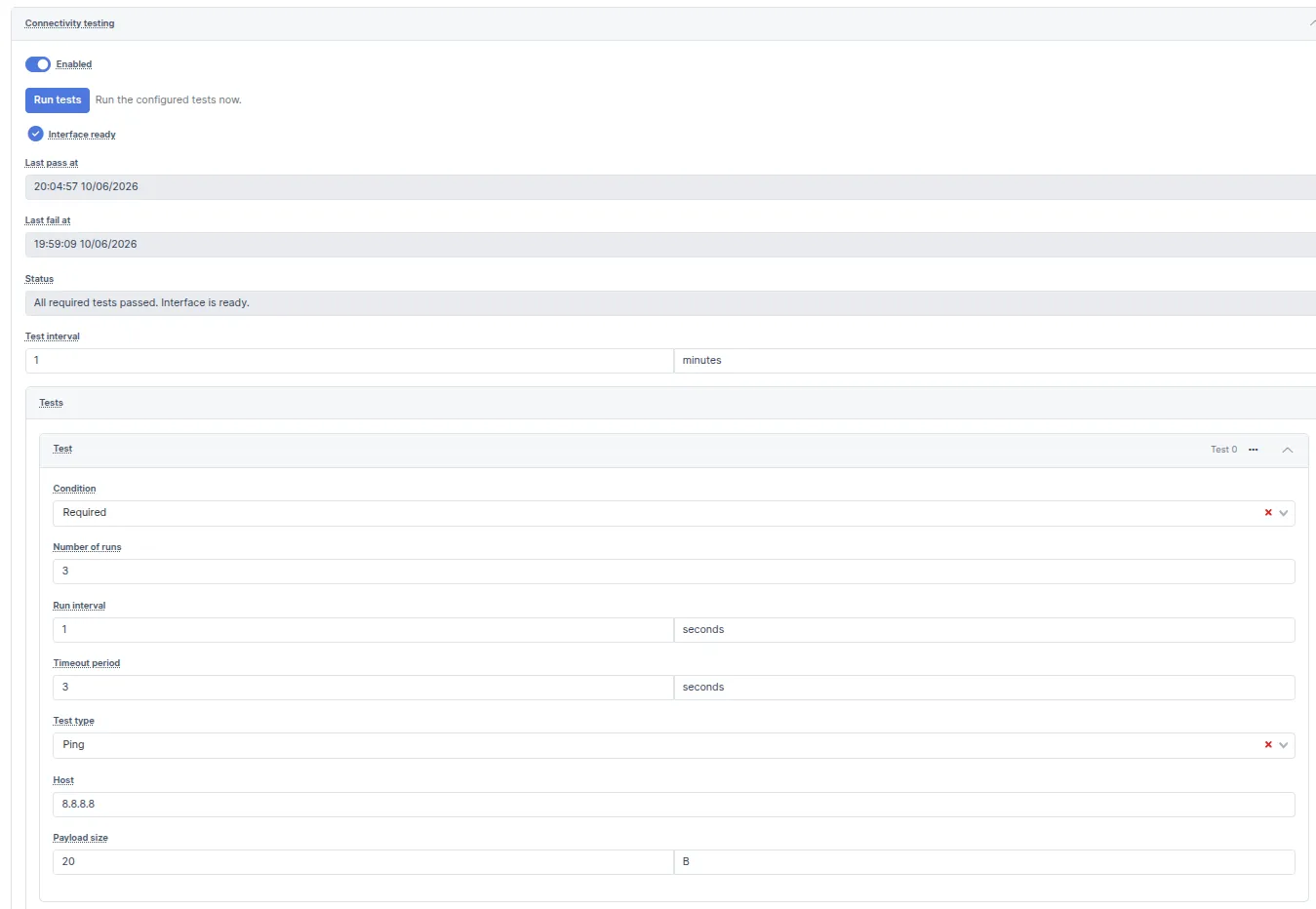
Connectivity testing allows an interface to be up and active but not used for routing network traffic until the tests have passed. The test can be simple, like that above, or more complex, testing multiple sites in multiple ways. Network hosts can be pings, DNS servers queried, or web pages/files downloaded.
Automation
The second step in the process is to create a simple automation that disables the cellular interface when the main interface is “ready” for use and has passed its tests.
Find the Automation menu in the device config (ZERO or WebUI) and create a new Automation called “CellularOnDemand”. Configure as follows for VLAN3 connectivity testing.
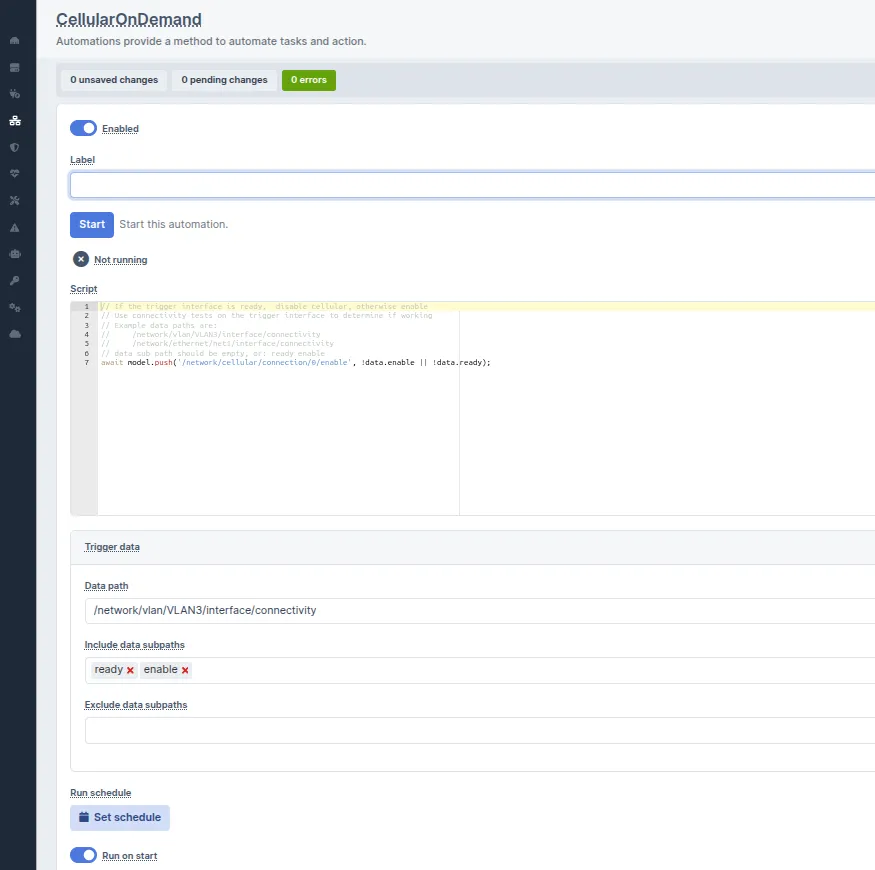
Script code to copy/paste:
// If the trigger interface is ready, disable cellular, otherwise enable.
// The cellular interface is enabled if connectivity testing is disabled.
//
// Use connectivity tests on the trigger interface to determine if working
// Example data paths are:
//
//     /network/vlan/VLAN3/interface/connectivity
//     /network/ethernet/net1/interface/connectivity
//
// data sub path should be empty, or: ready enable

await model.push('/network/cellular/connection/0/enable', !data.enable || !data.ready);
Completion
Once the changes are complete and saved, the cellular interface will be enabled whenever the trigger interface (or primary interface) fails the connectivity testing and will be disabled when it starts passing the connectivity testing.